Cinemation Review : Best AI Video Generator for Faceless YouTube Channels?


In today’s fast-growing creator economy, faceless YouTube channels are becoming one of the easiest ways to build an online business without showing your face. But creating professional videos consistently can still take hours of editing, scripting, voiceovers, and animation work.
That’s where Cinemation enters the picture.
Cinemation claims to simplify video creation using artificial intelligence, helping creators generate engaging, cinematic videos for YouTube, TikTok, Instagram Reels, ads, and more — even if they have zero editing experience.
But is it really worth it?
In this detailed Cinemation review, we’ll explore Cinemation and why it is Best AI Video Generator for Faceless YouTube Channels:
Features
Benefits
Pros and cons
Pricing
Use cases
Whether it’s ideal for faceless YouTube automation channels
Cinemation Review | What is Cinemation?

Cinemation is an AI-powered video generation platform designed to help creators produce professional-quality videos quickly using automation tools.
Instead of manually editing videos frame by frame, Cinemation uses AI to:
Generate scenes
Add animations
Create cinematic transitions
Sync voiceovers
Produce engaging visual storytelling
The platform is especially useful for:
Faceless YouTube channels
Affiliate marketers
Social media creators
Course creators
Digital agencies
Online marketers
AI content creators
Why Faceless YouTube Channels Are Growing Fast
Faceless YouTube automation channels are exploding because they allow creators to:
Stay anonymous
Scale content production
Outsource easily
Earn passive income
Run multiple channels simultaneously
Popular faceless niches include:
Motivation
AI tools
Finance
Crypto
Celebrity news
Top 10 videos
Educational content
Horror stories
Luxury lifestyle
Tech reviews
The biggest challenge?Creating high-quality videos consistently.
Cinemation attempts to solve this problem with AI automation.
Key Features of Cinemation
1. AI Video Generation
Cinemation allows users to convert ideas or scripts into engaging videos automatically.
This dramatically reduces:
Editing time
Production cost
Learning curve
Perfect for beginners.
2. Cinematic Visual Effects
Unlike basic slideshow tools, Cinemation focuses on cinematic storytelling.

Features include:
Dynamic transitions
Motion effects
AI scene generation
Professional animations
Smooth visual flow
This helps videos feel more premium and engaging.
3. Faceless YouTube Automation Support
One of Cinemation’s strongest use cases is YouTube automation.
Creators can produce:
Documentary-style videos
Motivational content
AI explainer videos
Educational shorts
Viral storytelling videos
without appearing on camera.
4. AI Voiceover Integration
The platform supports AI-generated voiceovers that can save creators from recording manually.
Benefits:
Faster production
Consistent audio
Multiple language possibilities
Better scalability
5. Social Media Optimization
Cinemation videos can also be adapted for:
YouTube Shorts
Instagram Reels
TikTok
Facebook videos
Ads and promotions
This makes it useful for multi-platform content strategies.
Cinemation Review | Benefits of Using Cinemation
Faster Video Creation
Traditional editing can take several hours per video.
Cinemation significantly cuts production time using automation.
Beginner-Friendly
You do not need advanced editing knowledge.
The interface is designed for:
Beginners
Marketers
Small creators
Non-technical users
Saves Money
Hiring editors, voice artists, and animators can be expensive.
Cinemation combines multiple tools into one platform.
Scalable Content Production
You can potentially create:
More videos
More channels
More social media content
with less effort.
This is important for YouTube automation businesses.
Pros and Cons of Cinemation
Pros
AI-powered automation
Beginner-friendly interface
Fast content creation
Great for faceless channels
Cinematic editing style
Supports multiple platforms
Helps improve productivity
Cons
AI-generated videos may still require manual polishing
Quality depends on prompts and scripting
Advanced creators may want deeper customization
AI voiceovers may sound robotic in some cases
Is Cinemation Good for YouTube Automation?
Yes — Cinemation appears to be highly suitable for faceless YouTube automation channels.
It can help creators:
Produce videos faster
Maintain consistency
Reduce editing workload
Scale content output
However, success still depends on:
Good scripts
Strong thumbnails
SEO optimization
Audience retention strategies
Proper niche research
AI tools help speed up production, but strategy still matters.
Best Niches to Use Cinemation For

Motivation Channels
Create cinematic motivational videos with AI visuals and voiceovers.
AI & Tech Content
Perfect for explaining tools, trends, and tutorials.
Finance & Crypto
Useful for chart explanations, storytelling, and educational content.
Educational Videos
Generate visually engaging lessons and explainer videos.
Storytelling Channels
Create horror stories, mystery content, and documentary-style videos.
Cinemation Pricing
Pricing may vary depending on:
Features
Usage limits
Video credits
Subscription plans
For the latest pricing details, visit:
Cinemation Pricing Page
Final Verdict: Is Cinemation Worth It?
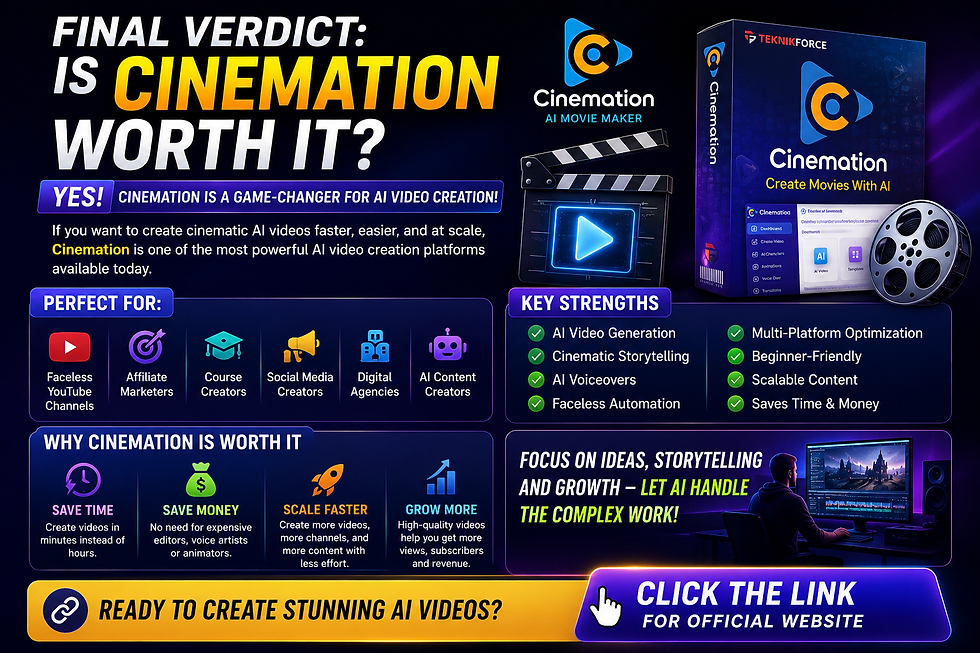
Cinemation is a promising AI video creation platform for creators looking to simplify and scale video production.
Its biggest strength is helping faceless content creators produce cinematic-style videos quickly without needing advanced editing skills.
If you are:
Starting a faceless YouTube channel
Running multiple content pages
Doing affiliate marketing
Creating AI-generated content
Looking to save editing time
then Cinemation could be a valuable tool in your workflow.
While it may not fully replace professional editors for high-end productions, it offers a strong balance between automation, speed, and quality for most online creators.

Visit the Fb Page : https://www.facebook.com/ogofonline
Visit the Youtube Channel : https://www.youtube.com/@ogofonline
.
Comments